Most Discord servers use the default emojis. That's fine. But the servers people actually want to hang out in? They've got custom emojis that feel like inside jokes. They've got animated reactions that hit different. They've got a visual language that's entirely their own.
Here's what actually makes a great Discord emoji — and which packs are worth adding first.
What Makes a Discord Emoji Good
Before we get to specific picks, understand the criteria. A great Discord emoji does one of three things:
Replaces words. The best reactions are ones that communicate faster than typing. :partyparrot: instead of "nice work." :elmo-fire: instead of "everything is fine (it's not)." If you have to explain what an emoji means, it's not doing its job.
Fits your community's vibe. A gaming server and a dev team and a K-pop fan server all need different emoji sets. The emojis that land are the ones that speak to your specific crowd.
Looks good small. Discord emojis are tiny. Anything with fine details, thin lines, or subtle expressions disappears at 22px. Bold shapes, high contrast, and exaggerated expressions always win.
With that said, here are the packs and picks that consistently deliver.
1. Party Parrot Pack — For Hype
When something good happens, you need a reaction that doesn't require words. Party Parrot is the universal language of "let's go."


The pack has 357 variants. You don't need all of them, but you absolutely need the base partyparrot, the conga_parrot for big wins, and whatever variant matches your community's identity — there's a flag version for almost every country, team jerseys for major sports, and programming language variants for dev servers.
2. Essentials Pack — The Internet Classics
This one is the starter kit. The Essentials Pack is a curated set of the most universally understood reaction GIFs on the internet — the ones that have been around long enough to be genuinely cross-cultural.


elmo-fire for chaos. travolta for confusion. homer-disappear for "I want no part of this." nodding-kermit for reluctant agreement. These read instantly regardless of who's in your server — no context required.
3. Blob Cat Pack — For Emotional Nuance
If Party Parrot owns hype and Essentials owns chaos, Blob Cat owns the subtler stuff. These round, minimalist animated cats cover the full emotional spectrum — and they're incredibly readable at small sizes because the design is so simple.
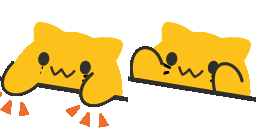





The must-haves: blob-cat-Bongo (vibe check passed), blob-cat-Heart (appreciation), blob-cat-Sad (commiseration), blob-cat-Bounce (excited agreement), and blob-cat-CozyWave (the friendly hello). With those five you can handle 80% of social situations in any server.
4. Memes Pack — For Cultural Context
Some reactions require context. These are the emojis that work when someone posts cringe, makes a bad call, or drops a take so wrong it needs to be acknowledged publicly.
The Memes Pack covers the cultural references that are too specific for default emoji but too universal to be inside-jokes — Pepe variants, reaction faces, and the classics that show up in every corner of the internet. The kind of emoji that makes whoever sees it first feel seen.
How to Add Custom Emojis to Discord
Quick rundown for anyone new to this:
- Go to your server settings (click the server name → Server Settings)
- Click Emoji in the left sidebar
- Click Upload Emoji
- Pick your file (PNG or GIF, under 256KB, at least 128×128px)
- Give it a name — this is what people type between
:colons:
Discord allows up to 50 custom emojis per server on the free tier, 100 with Nitro Boost Level 1, and up to 500 at Level 3.
The faster route: use the EmojiCreator Discord Emoji Maker to resize, optimize, and format emojis correctly before uploading. It handles all the technical requirements automatically — size limits, transparency, file format. You just pick the emoji and it's ready to upload.
Build Your Server's Visual Language
The servers with the best emoji sets didn't get there by accident. Someone made deliberate choices: these are our reaction emojis, these are our hype emojis, this one's for when things go wrong.
Start with a core set — 10 to 15 emojis that cover your most common emotional beats. Then let the community request additions over time. The emojis that actually get used are the ones worth keeping.