The emoji maker market in 2026 breaks down into two categories — tools that help you create your own, and libraries that give you pre-built sets. Most people need both.
If you're starting a Discord server, Slack workspace, or community platform, the question isn't really whether to use emoji. The question is: where do they come from? Do you build everything from scratch, or do you grab curated packs that already exist?
What to Look For in an Emoji Maker
Not all emoji makers are built equal. Here's what actually matters when you're comparing tools:
Pre-built pack library — saves you from starting at zero. A good library cuts weeks of work into hours.
Platform-specific optimization — Discord, Slack, and Teams have different file format requirements, size limits, and rendering quirks. A tool that handles these automatically beats one that doesn't.
Animated GIF support — static emoji in 2026 feels like offering a flip phone. Animated is table stakes now.
File size optimization — Discord's 256KB limit catches people off guard. Tools that automatically compress without destroying quality matter.
Price — most servers have a budget of exactly zero. Free tier availability isn't nice-to-have, it's mandatory.
EmojiCreator vs. The Alternatives




EmojiCreator.ai checks all the boxes. Free pack library with 40+ curated packs: Kirby, Pokemon, Star Wars, Party Parrot, and more. The Discord Emoji Maker at /discord-emoji-maker handles sizing, format, and optimization automatically. No account required for browsing and downloading. Animated GIF support throughout.
Generic emoji makers (Canva-style tools) are polished, but they're blank canvas tools. You're building from scratch. No library. No platform optimization. Good if you want total creative control. Rough if you want to ship something this week.
Adobe Express is slick. Professional design features. But animation? That's behind the paid tier.
Emoji.gg is community-sourced. Lots of content. Quality varies wildly. You're wading through a lot of noise.
Others handle individual creation fine, but they don't solve the "where do I even start" problem.
What Actually Gets Downloaded


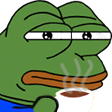

The Kirby pack shows what "cute but distinctive" looks like. The Pokemon pack demonstrates fandom appeal — people recognize this immediately. The Pepe pack is the ultimate cultural shorthand for internet communities.
These aren't generic. They have personality. And they're free.
The Practical Truth
If you're starting from zero, grab a pre-built pack first. Pick the one that matches your community's vibe. Build custom from scratch only if the packs don't serve your specific identity.
Hybrid is the way: core reactions from an established pack, then maybe one custom emoji if you need something niche. That's how communities actually grow emoji sets without becoming a management nightmare.